.png?width=200&height=150&name=campspotlogo2019%20(1).png)
Summary
Updates have been made to the landing page of Campspot—the Reservation Grid. These updates improve speed, accessibility, and mobile responsiveness. This refreshed grid is the first step in modernizing the booking interface, making it easier for park staff to view reservations at a glance.
This guide explains how to access the updated grid, highlights key differences from the previous view, and provides tips for switching between the new and legacy grids.
Content
Below is a list of the content that you'll find throughout this article. For quick access to a specific topic, click the topic below and you'll jump forward to that section.
Why the Change
To continue improving Campspot’s performance and accessibility, the Reservation Grid has been rebuilt using modern technology for a faster, more reliable experience. This update ensures compliance with accessibility standards, improves usability across devices, and lays the groundwork for future enhancements.
Important: Only the landing page of the Reservation Grid reflects this new design. When creating editing reservations and performing other grid actions, you will still see the legacy version. This phased approach allows us to test the new design, gather feedback, and ensure it functions smoothly before updating additional grids in future releases.
Key Benefits
-
Improved accessibility and responsiveness: The updated grid meets modern accessibility standards and adapts better across different screen sizes and devices.
-
More stable and secure performance: Built on updated front-end technology, the new grid delivers improved reliability and faster load times.
-
Consistent, modern interface: A refreshed design offers a cleaner, more intuitive viewing experience that aligns with the updated navigation.
-
Foundation for future enhancements: This is the first step toward a fully interactive grid experience, including upcoming features like drag-and-drop and expanded editing tools.
Key changes to the reservation grid
The updated Reservation Grid comes with several layout and navigation improvements. Here’s what’s different:
1. Filter Section
The filter options have moved from the left side of the screen to the top right corner, making it easier to access while keeping your focus on the calendar. All the same options are available in the new filter section. .gif?width=434&height=500&name=ScreenRecording2025-10-29at11.24.13-ezgif.com-speed%20(1).gif)
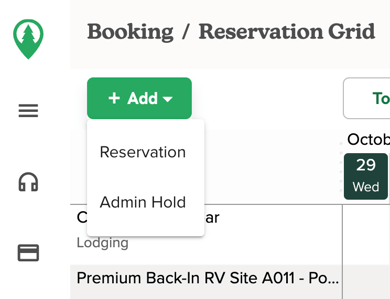
2. New Reservation & Admin Hold Buttons
The previous “New Reservation” and “New Admin Hold” buttons at the top right have been replaced by a single “New+” button, now located at the top left of the screen.
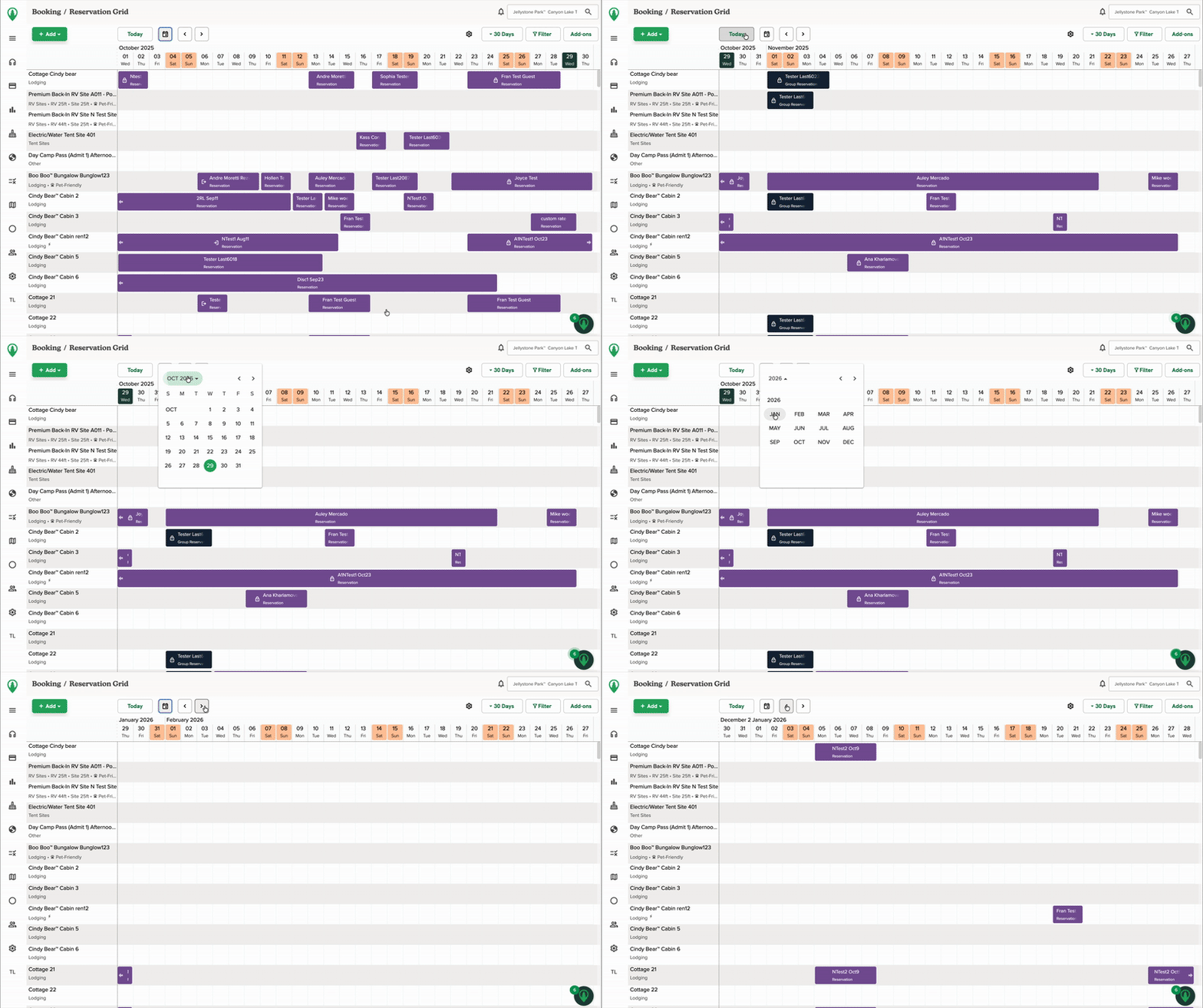
3. Calendar Navigation
The buttons to toggle between months and select different dates have been redesigned. While the appearance has changed, the functionality remains the same.
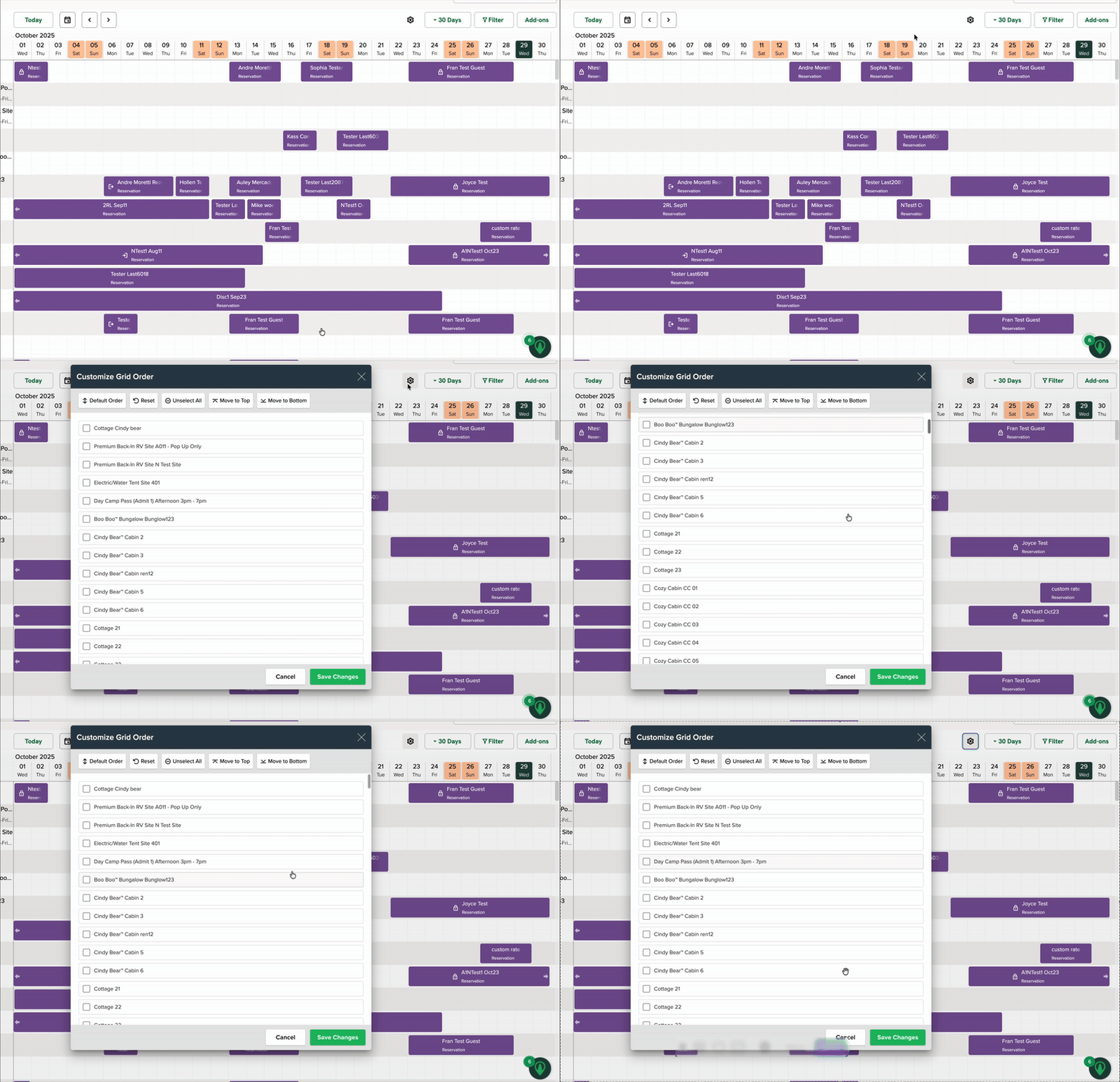
4. Customize Grid Order
The option to customize the order of your grid is now accessible via the gear icon at the top right.
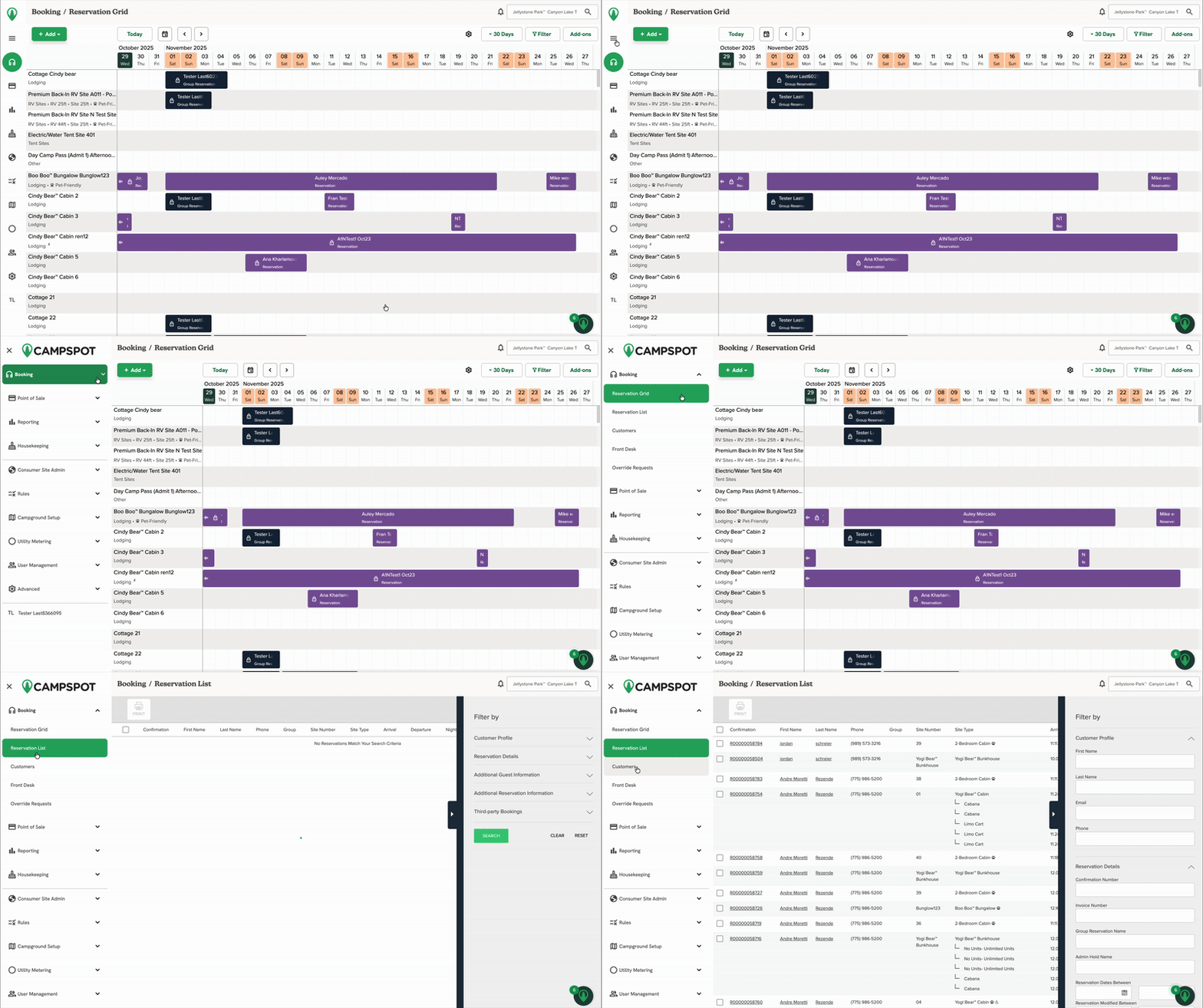
5. Left Navigation Menu Updates
Previously located at the top right, Reservation List, Customers, and Front Desk are now available in the left navigation menu. Override Requests has also been added to this menu for easier access.
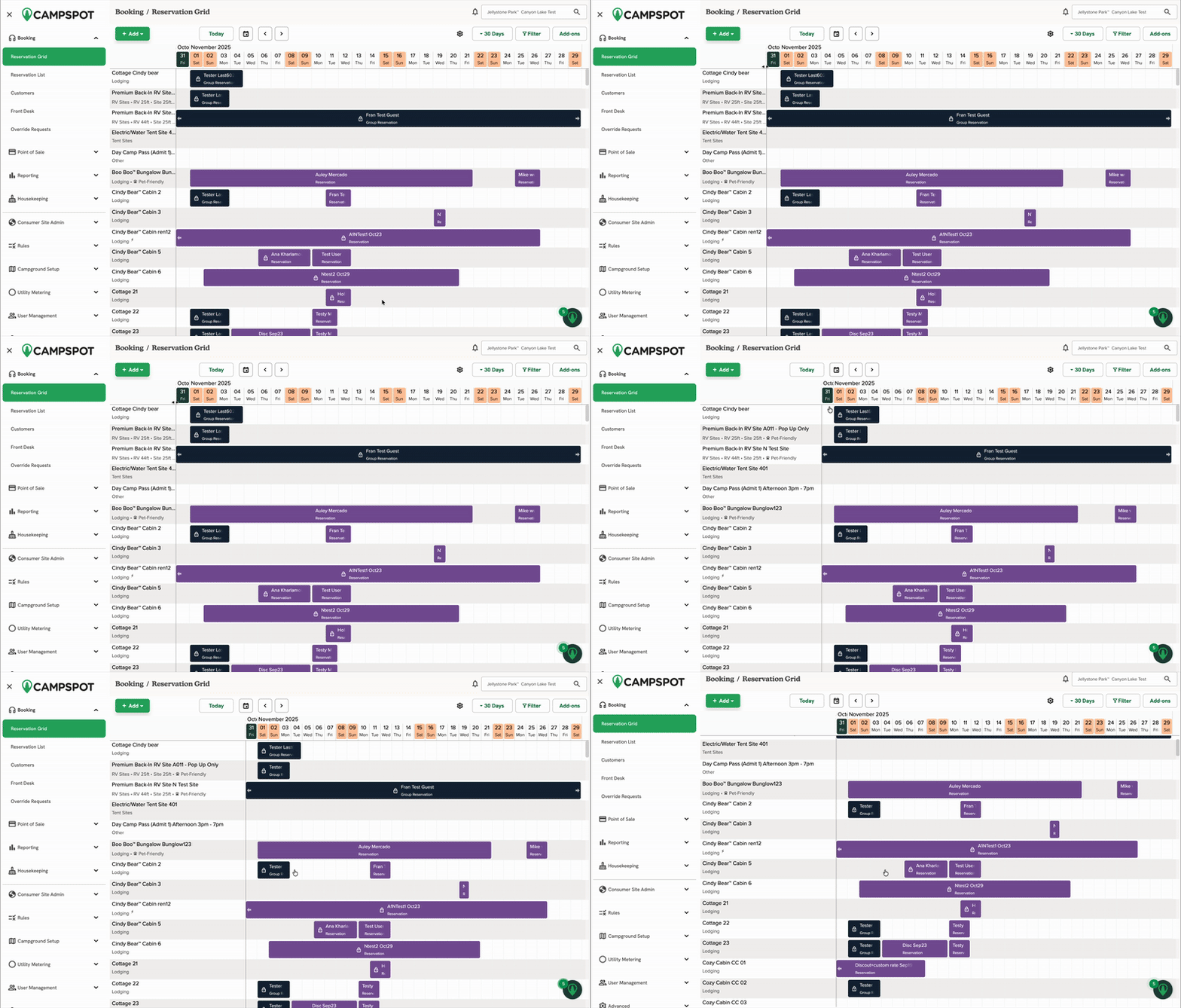
6. Adjust Site Column Width
To ensure you can always see the complete site name and number in the Site column of the Reservation Grid, the column is fully resizable.
Simply click and drag the vertical dividing line between the Site column and the calendar/reservation area to expand the width to your preferred size. This will allow you to view longer site descriptions without truncation.
Switching Between Views:
For a limited time after release, users can toggle between the the legacy view and the new view. This is done from the bottom of the new navigation menu in the new version, and from the top right corner of the screen in the old version.
Note: Switching versions will change both the Navigation and the Reservation Grid. These updates cannot be toggled separately.
To switch from the legacy navigation to the new version:
- Click the purple circle with your initials at the top right corner of the screen.
-
In the menu that appears, click the "Preview our New Version" button.
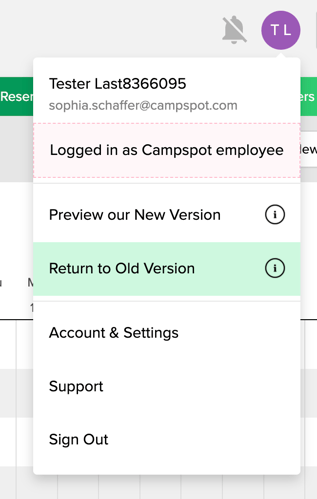
To switch from the new navigation to the legacy version:
-
From the new navigation, at the bottom left of the screen, click your initials (if the menu is not expanded) or your username (if the menu is expanded) at the bottom of the left-hand navigation bar.
-
In the menu that appears, click Return to Old Version.
The clip below shows this process.
.gif?width=670&height=378&name=ScreenRecording2025-10-28at15.11.38-ezgif.com-speed%20(1).gif)
Note: Campspot will fully transition to the new navigation early in 2026. A notice will be provided before the legacy version is removed.
FAQ:
Q: why does the Reservation grid switch back to the legacy version for edits?
For the first iteration of reservation grid changes, only certain views of the reservation grid have been updated. This allows us to test the new design and functionality in a controlled way, gather feedback, and ensure it works well before updating other pages/grids in future releases.
Q: Can I switch back to the old version if I prefer it?
Yes, for a limited time, you can toggle between the new and old reservation grid view. After the full rollout, the legacy version will be sunset.
Q: Does this change how I perform my daily tasks?
The workflows remain the same, but you’ll notice an improved look and feel with faster navigation and better visibility.
Q: Who Can Use This?
All Campground Software users with access to the reservation grid.