.png?width=200&height=150&name=campspotlogo2019%20(1).png)
Summary:
This guide provides step-by-step instructions for activating utility meters. By following these steps, users can ensure that meters are properly activated and visible for tracking utility usage in Campspot.
Utility Meters: Why can I not see a Utility Meter from the Utility Meter List?
If a Utility Meter is being used for the first time, it must be activated, otherwise it will not show up on the list of Active meters.
Step-by-step Instructions:
Step 1: Go to Utility Meters page
- Navigate to Utility Metering
- Click on Utility Meters tab
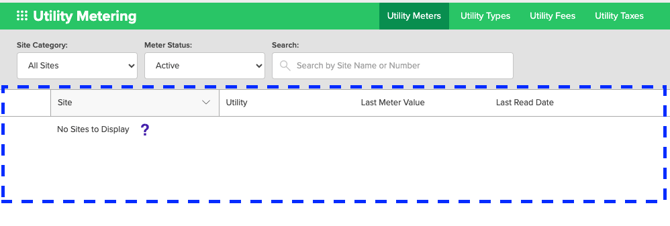
Step 2: View Inactive Meters
On this page, you will see Active Meters by default. We need to find the Inactive ones by:
- Click on the Meter Status drop-down.
- Select Inactive Meters.
Step 3: Activate a Utility Meter
- Locate and click on the Meter requiring activation.
- Click on Edit Meter Setup.
- Click Active
- Enter Rollover Value
- The maximum number a utility meter can reach before rolling over to 0. For example, if you have a meter that has up to 5 digits, the Rollover Value would be 99999.
❗️Important Note For Wild Energy Integration Users: Parks using the Wild Energy integration and their digital meters should enter 999999 for the Rollover Value. See more information on How to Update Meter Rollover Values.
5. Decide whether to display the Meter Status on the grid
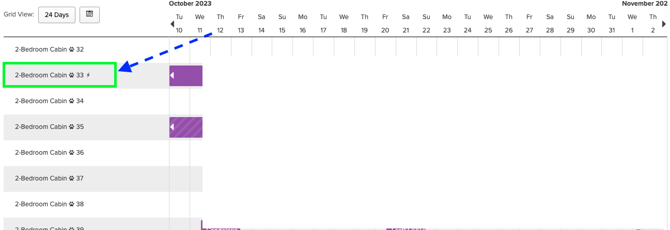
6. Click Save
One Last Step!
Once a Utility Meter is activated, it's essential to perform an initial meter reading before a new guest checks into that site, especially if you intend to charge the guest for that utility. For guidance on completing the initial meter reading, refer to this article: