.png?width=200&height=150&name=campspotlogo2019%20(1).png)
Overview
Parks have direct control over the “Allow refunds to original payment method only” feature. This feature allows parks to restrict refunds so they are returned to the same payment method used for the original transaction. This is an important tool for preventing fraudulent activity and maintaining secure payment processes.
📌 Note: This feature is automatically turned on for all parks unless the park specifically requested it to be turned off before it became available for users to manage themselves.
Access & Permissions
Access to this feature is permission-based and is edited via User Management > Roles.
The clip below shows the process of enabling permission for this feature.
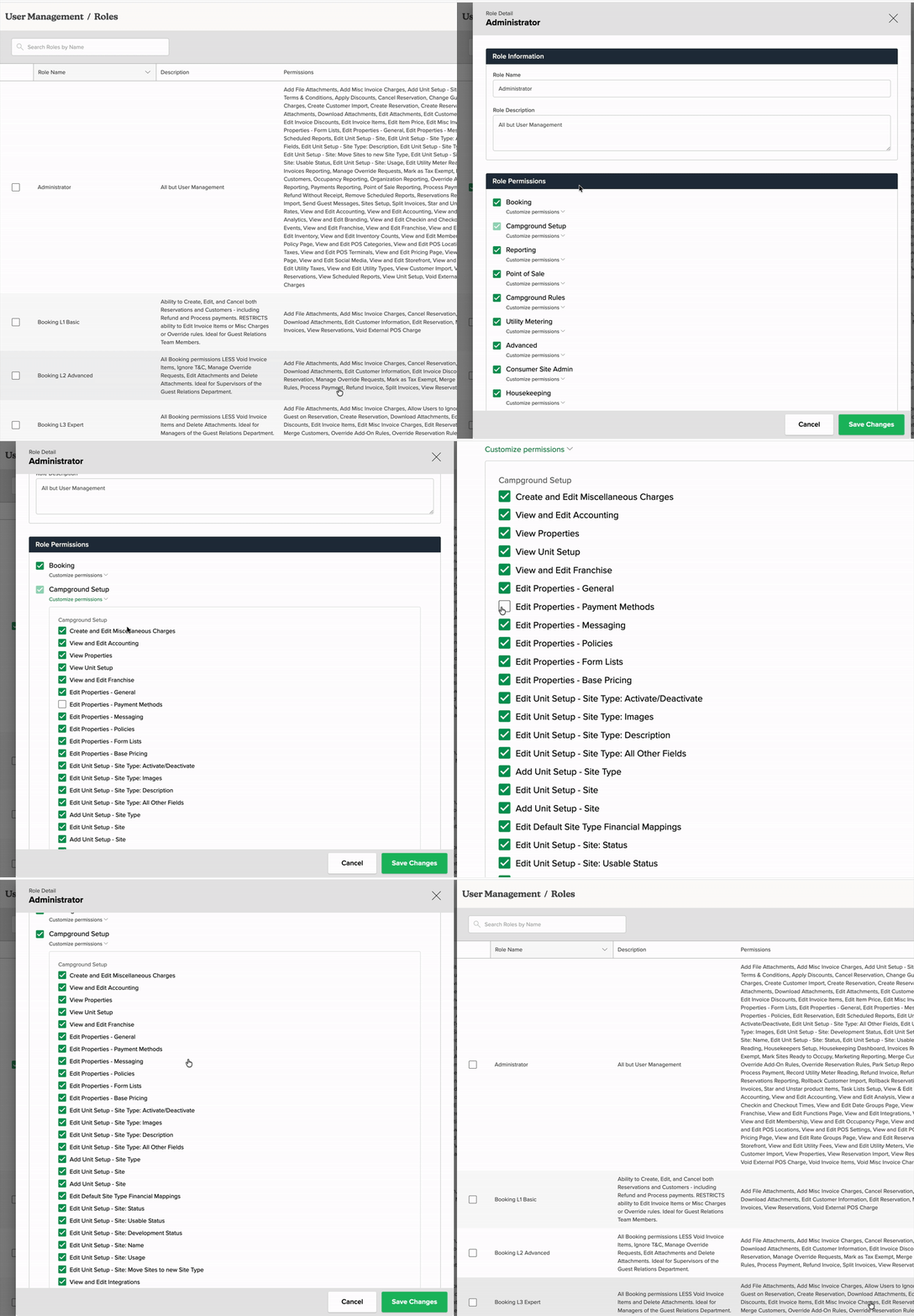
Note: Enabling permissions for this feature also allows users with the assigned role to edit other properties of Payment Methods.
How It Works
Once the checkbox is enabled, refunds are processed according to the original payment method and can only be made in the original amount paid by the payment method. Check, User Credit, and Camp Credit are always available as refund options.
The table below contains refund details by payment method.
| Payment Type | Refund Behavior |
|---|---|
| Check | Refunds to the same check |
| User Credit | Refunds to user credit; external transfer also available |
| Camp Credit | Refunds to camp credit |
| Credit Card | Refunded to the same card, up to the total amount of the original payment (will refund to multiple cards if multiple cards were used to pay) |
| ACH | Refunded to the same account, up to the total amount of the original payment |
| Gift Card | Refunded to the same card or a new card |
| Voucher | Refundable to the original voucher |
This ensures refunds are returned securely to the original method while maintaining flexibility for credits and gift cards.
How to Enable
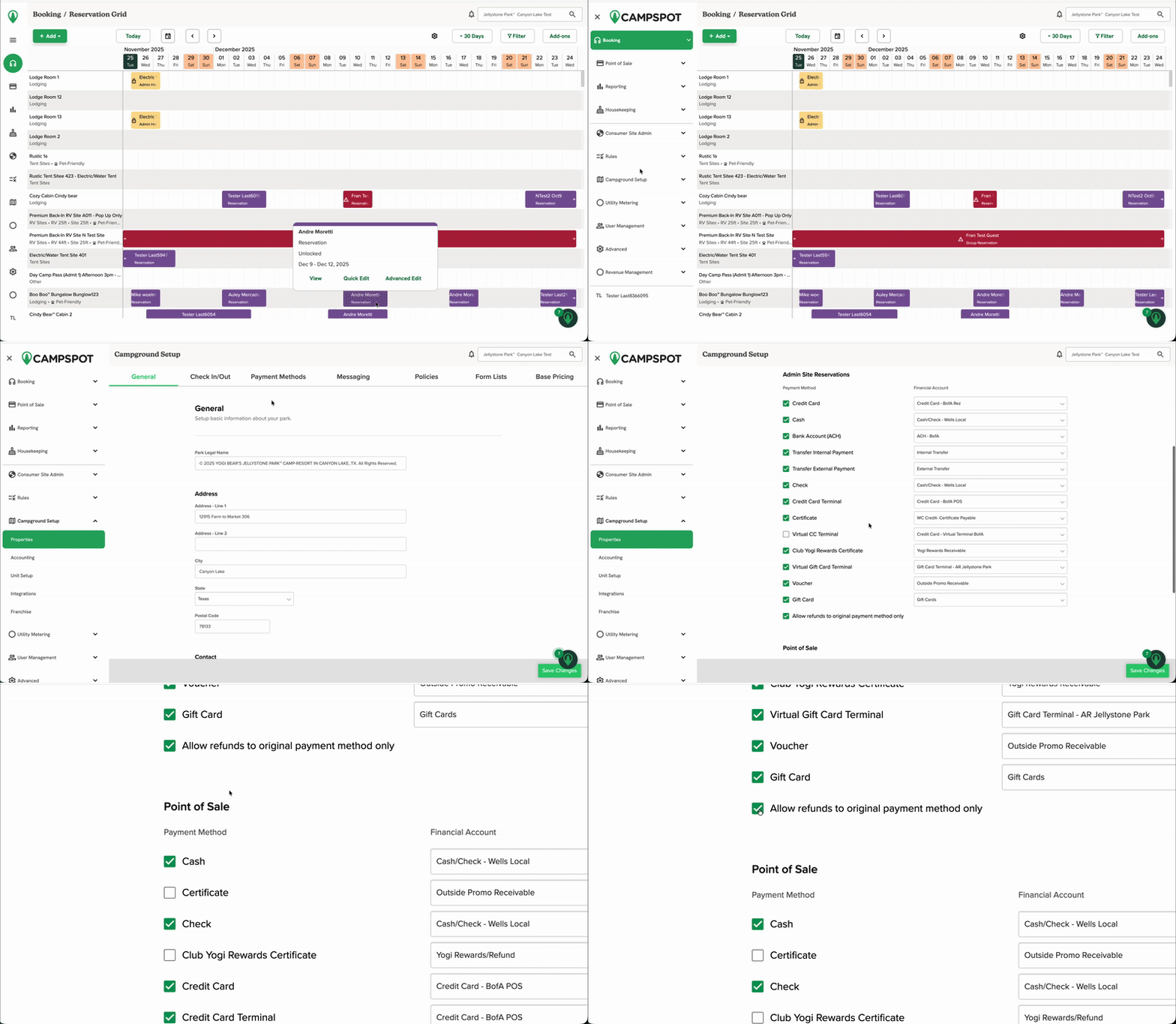
To enable this security feature, follow the steps below.
-
Navigate to Campground Setup → Payment Methods in the Admin Site.
-
Locate the “Allow refunds to original payment method only” checkbox under the Payment Methods section.
-
Check the box to enable the feature.
-
Save your changes.
The soundless clip below shows this process.
Additional Resources
For more information on managing refunds and payment methods, check out the articles linked below.